
 03 August 2026
 Share
Share
1
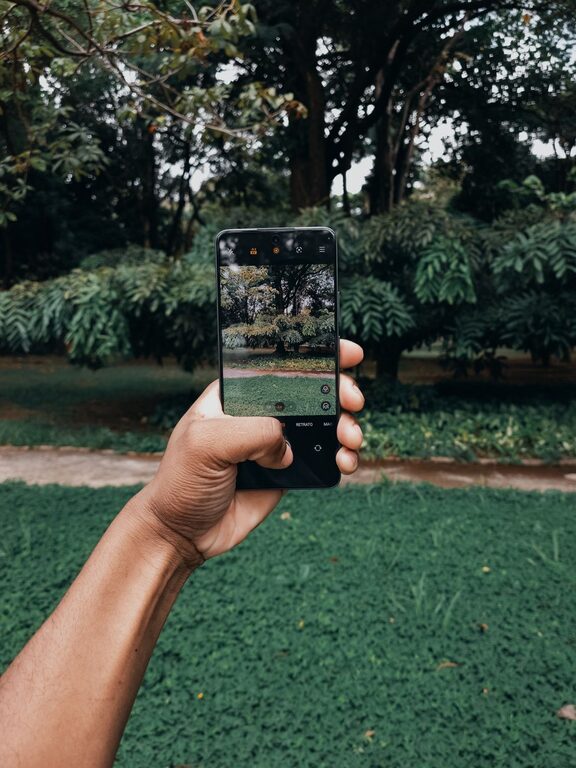
Taking great photos with your phone is easier than ever thanks to advances in smartphone camera technology. Whether you want to capture memorable moments, create social media content, or just improve your everyday snapshots, a few simple tips can make a big difference. In this post, we’ll explore beginner-friendly ideas to help you take better phone photos and develop your photography skills.
Before diving into photography techniques, spend some time exploring your phone’s camera app. Most smartphones offer more than just a basic photo mode.
– Know your camera modes: Look for portrait, panorama, night mode, and video options.
– Use gridlines: Turn on the grid to apply the “rule of thirds,” which helps compose balanced photos.
– Experiment with focus and exposure: Tap the screen where you want to focus, and adjust brightness by sliding your finger up or down.
Understanding your phone’s camera features gives you more creative control and sets the foundation for better photos.
It might sound obvious, but a dirty lens is one of the biggest culprits behind blurry or hazy photos. Your phone spends all day in your pocket or bag, which means dust, fingerprints, and smudges can easily accumulate.
– Use a microfiber cloth or lens cleaning wipe.
– Avoid rough or abrasive materials that could scratch the lens.
– Clean the lens regularly, especially before important shots.
A clean lens ensures your camera captures sharp, vibrant images.
Lighting is one of the most important factors in photography. Natural light often produces the most flattering and well-exposed images.
– Shoot during golden hours: Early morning and late afternoon provide soft, warm light with long shadows.
– Avoid harsh midday sun: Bright overhead light can cause strong shadows and highlights.
– Utilize shade: Shooting in the shade can diffuse strong sunlight and provide even lighting.
If natural light isn’t available, try to avoid mixing different light sources or using your phone’s built-in flash, which can create harsh spots and unnatural colors.
Camera shake is a common cause of blurry phone photos, especially in low light.
– Use both hands to hold your phone securely.
– Tuck your elbows in close to your body for stability.
– Lean against a wall or sturdy surface if possible.
– Consider using a small tripod or phone stand for even steadier shots.
Holding your phone steady will help prevent motion blur and keep your photos sharp.
Composition can transform a simple photo into a captivating one. The rule of thirds is a basic and effective guideline that beginners can apply easily.
– Imagine your screen divided into 9 equal parts by two horizontal and two vertical lines.
– Place your subject or points of interest along these lines or at their intersections.
– This technique creates a balanced and visually appealing image rather than centering everything.
Most smartphones allow you to enable gridlines in settings to help apply this rule when framing your shots.
Good photos often come from seeing the world a little differently.
– Try shooting from low angles to make your subject appear larger or more dramatic.
– Capture overhead shots for a unique bird’s-eye view.
– Move around your subject instead of just shooting head-on to find the most interesting perspective.
Changing your angle can add depth and creativity to your photos.
Digital zoom reduces image quality because it crops and enlarges the photo digitally, leading to pixelation and loss of detail.
– Whenever possible, physically move closer to your subject instead of zooming in.
– If your phone has an optical zoom lens (on some multi-camera models), feel free to use it as it maintains image quality.
Getting closer also helps emphasize details and create engaging compositions.
Post-processing can bring your photos to life by improving color, contrast, and sharpness.
– Start with simple edits: adjust brightness, contrast, and saturation.
– Crop to improve composition or remove distractions.
– Explore apps like Snapseed, VSCO, or Lightroom Mobile for user-friendly tools.
Remember to keep edits subtle to maintain a natural look.
Like any skill, photography improves with practice and reflection.
– Take photos regularly and try different subjects and conditions.
– Review your shots to see what works and what doesn’t.
– Don’t be afraid to delete photos that aren’t good; learn from them instead.
Over time, you’ll develop an eye for what makes a photo stand out.
Taking better phone photos doesn’t require expensive equipment or complex skills. By understanding your camera features, focusing on lighting and composition, holding your phone steady, and practicing regularly, you can capture clearer, more beautiful images. Experiment often and enjoy the creative process – great photos are just a few taps away!
