
 03 August 2026
 Share
Share
1
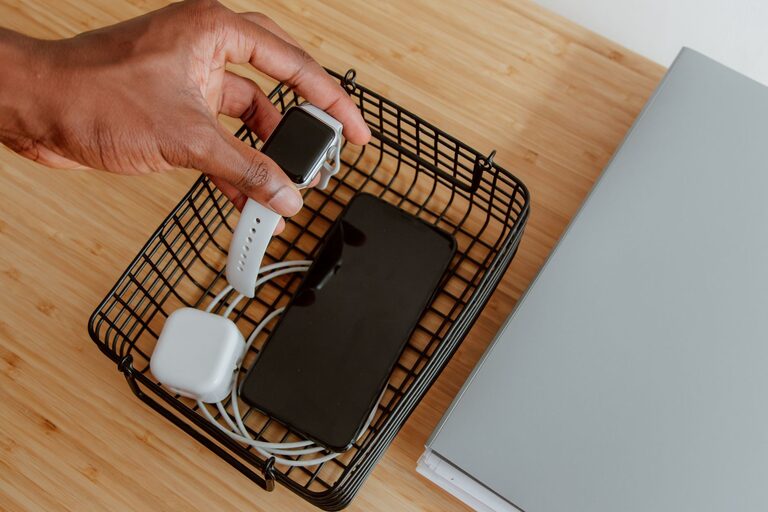
In today’s digital world, having multiple devices—smartphones, tablets, laptops, smartwatches—means keeping track of many chargers and cords. A cluttered mess of cables and devices can make charging feel chaotic and inconvenient. Setting up a dedicated charging station at home not only keeps things tidy but also ensures your gadgets are always ready to use.
This guide will walk you through how to set up an efficient, organized charging station that fits your needs and space.
Before diving into the setup, it’s helpful to understand the benefits:
– Organization: Keeps cords and devices in one place and reduces clutter.
– Accessibility: Makes it easy to charge devices without searching for cords.
– Safety: Prevents cables from tangling and reduces the risk of tripping hazards.
– Efficiency: Saves time, as you have a designated “power spot” for all your gadgets.
Start by selecting a spot for your charging station. Consider these factors:
– Accessibility: Pick a place where your devices are often used or stored, such as a living room shelf, entryway table, or bedroom nightstand.
– Power Source: You’ll need at least one nearby electrical outlet. Multiple outlets are a plus.
– Ventilation: Avoid enclosed spaces where devices can overheat.
– Space: Choose a flat surface large enough to hold your devices and chargers comfortably.
Here’s a list of items you may need for your charging station:
– Power strip or charging hub: A surge-protected power strip with multiple outlets or a USB charging hub.
– Cable management tools: Clips, ties, or cable organizers to keep cords neat.
– Storage unit: A small shelf, box, or docking station to hold devices.
– Labeling supplies (optional): Labels or markers to identify cords.
– Accessories: Wireless chargers or multi-port USB adapters depending on your devices.
List all devices you need to charge regularly. Take note of the different types of chargers they require—USB-A, USB-C, Lightning cable, or wireless charging. This helps when selecting charging equipment.
– Multi-Port Chargers: A USB charging hub with multiple ports is ideal for charging smartphones, tablets, and other USB-powered devices simultaneously.
– Surge-Protected Power Strip: For devices that use traditional plugs (laptops, game consoles), a reliable power strip with surge protection is essential.
– Wireless Chargers: Consider adding a wireless charging pad for compatible devices. This reduces cable clutter and makes charging effortless.
– Place your power strip or charging hub close to the electrical outlet.
– Use a small stand, organizer, or box to hold your devices upright or flat.
– Position wireless charging pads in easy-to-access spots.
– Use cable clips or ties to bundle excess cord length.
– Label each cable near the charging port or plug to identify them quickly.
– Consider using a cable box to hide the power strip and excess cords for a neater appearance.
– Arrange devices so that each has its own spot.
– Avoid stacking devices on top of each other to prevent overheating.
– Regularly check cables and chargers for wear and replace them if needed.
– Limit the number of devices charging at once to avoid overloading outlets.
– Update your charging tools as technology evolves, like upgrading to USB-C hubs.
– Make it a routine to place devices in the charging station when not in use.
– Keep the area dust-free to prolong the life of your equipment.
– Family room: Use a charging station on a side table where everyone can plug in their devices.
– Home office: A desktop organizer with built-in charging ports keeps work devices ready.
– Bedroom: A nightstand charging station with wireless charging pads keeps your phone accessible overnight.
– Entryway: A small charging station can be a drop-off point for phones and keys when coming home.
Setting up a charging station is an easy way to enhance your home’s organization and keep your devices charged and ready. With a thoughtful layout and simple tools, you can create a clutter-free space that makes powering up more convenient and efficient.
Try customizing your charging station to suit your lifestyle, and enjoy the benefits of a tidier, more connected home!
