
 03 August 2026
 Share
Share
1
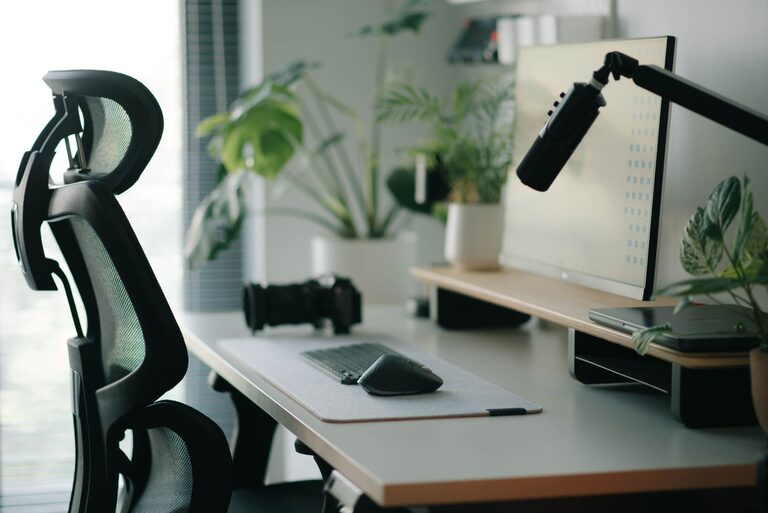
Creating a desk setup that promotes focus and comfort is essential whether you work from home, study, or spend hours at your desk. A well-organized and ergonomic workspace can reduce distractions, prevent discomfort, and help maintain productivity throughout the day. In this post, we’ll explore practical tips to optimize your desk setup for better concentration and physical ease.
Before diving into specific tips, it’s important to understand why your desk setup directly affects your ability to focus and stay comfortable. Poor ergonomics can lead to aches, fatigue, and decreased concentration. Clutter and inefficient layouts can create distractions that interrupt your workflow. By addressing these elements, you create an environment that supports sustained attention and well-being.
A supportive chair is the foundation of a comfortable desk setup. Look for chairs with adjustable height, lumbar support, and a comfortable seat cushion. Your feet should rest flat on the floor or on a footrest, and your lower back should be supported to maintain good posture.
Your desk height should allow your elbows to rest comfortably at about a 90-degree angle when typing. The desk surface should be spacious enough to accommodate your computer, essential tools, and allow free movement. Adjustable desks or sit-stand desks offer flexibility to change your working position and reduce strain.
Eye strain is a common issue when working at a computer. Set your monitor at eye level so you don’t have to tilt your head up or down. The top of the screen should be roughly at or slightly below your eye level. Position the monitor about an arm’s length away to reduce eye fatigue.
Consider using a monitor stand or adjustable arm to achieve the right height and angle. If you use multiple monitors, arrange them closely and at the same height to minimize head movement.
Your keyboard and mouse should be positioned so your wrists remain straight and your arms close to your body. A keyboard tray can help maintain the correct height and reduce shoulder strain. Use a mouse pad with wrist support to prevent discomfort during prolonged use.
Good lighting helps reduce eye strain and creates a pleasant workspace. Natural light is ideal, so position your desk near a window if possible. Avoid direct sunlight hitting your screen, as it causes glare.
Use desk lamps with adjustable brightness and color temperature. Cooler, white light can help keep you alert, while warmer light is more relaxing. Experiment to find what works best for your tasks and time of day.
Clutter can be distracting and stressful. Keep only the essentials on your desk such as your computer, a notebook, pen, and any tools you use frequently. Use organizers, drawers, or shelves to store other items.
Cable management solutions like clips or sleeves help keep cords tidy and reduce visual clutter. A clean and well-organized desk area promotes a calm mind and focused work.
Personalizing your workspace can make it more inviting and boost your mood. Add a plant, a photo, or a piece of art that inspires you. However, avoid overcrowding your desk with too many decorations, which can become distractions.
Sitting for long periods can cause fatigue and reduce concentration. Consider setting reminders to take short breaks every hour to stretch or walk around. If you have a sit-stand desk, alternate between sitting and standing during the day.
Using a timer or productivity app can help structure your work sessions and ensure regular movement breaks.
If you work in a noisy environment, consider noise-cancelling headphones or white noise machines to minimize distractions. Playing soft instrumental music or nature sounds can also help some people focus.
A desk setup tailored for focus and comfort combines good ergonomics, thoughtful organization, and an environment that suits your work style. Taking time to adjust your chair, desk, monitor, and lighting can make a big difference in your productivity and overall well-being. Keep your space tidy, personalize it thoughtfully, and remember to move regularly to maintain energy and concentration.
By implementing these tips, you create a workspace that supports both your body and mind, making it easier to stay focused and comfortable throughout your day.
